

Connect Judge.me
Connect Judge.me so a verified Judge.me review automatically awards loyalty points. Judge.me is the most common review provider, so here’s the full setup, end to end.
1. Copy your Judge.me private API token
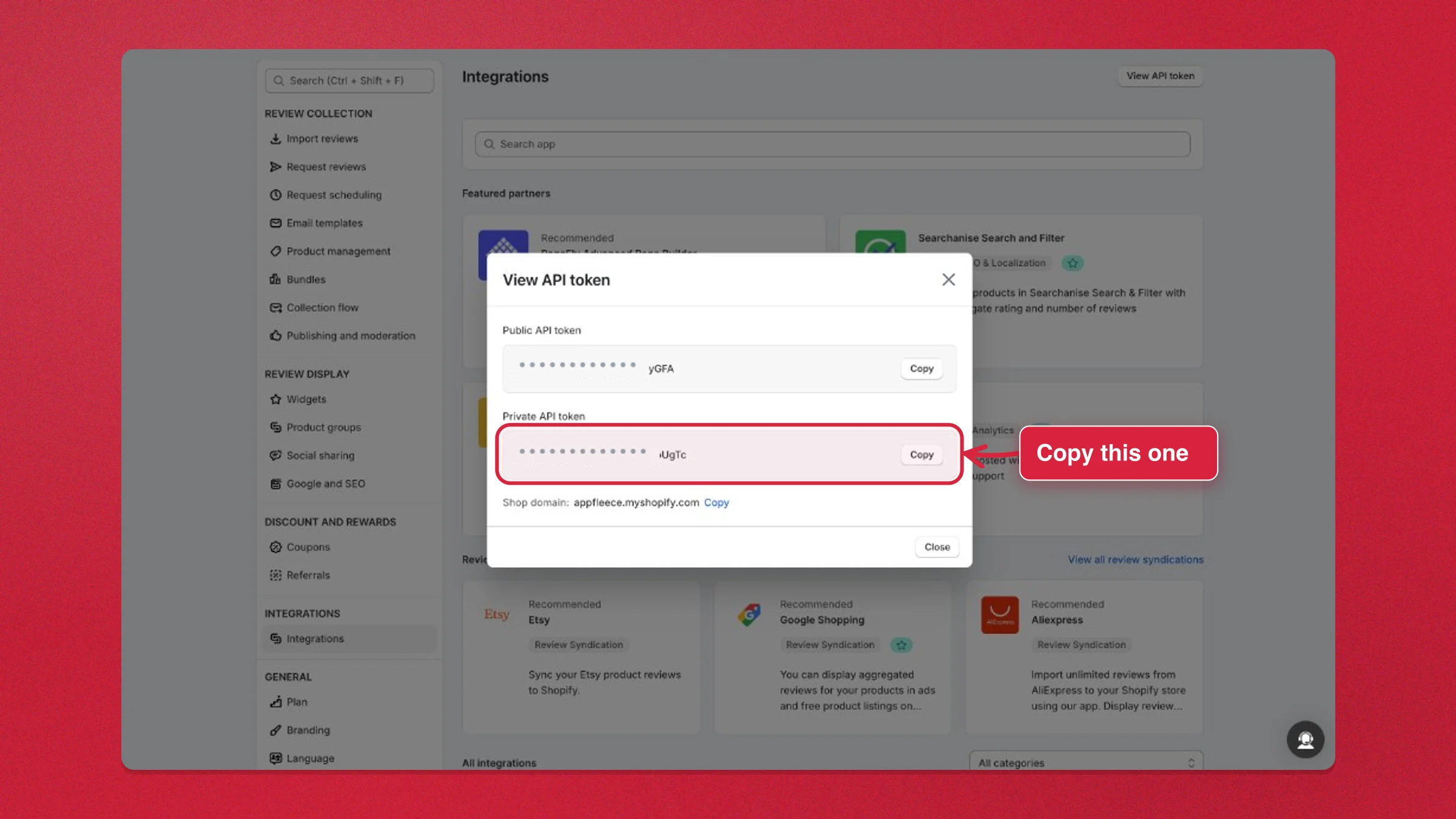
Section titled “1. Copy your Judge.me private API token”- In your Shopify admin, open Judge.me ⭐ Product Reviews.
- Go to Settings → Integrations (
/judgeme/settings/integrations). - Click View API token in the top right.
- Copy the Private API token. That’s the one Charm needs; you can ignore the Public API token.
2. Paste it into Charm
Section titled “2. Paste it into Charm”- In your Shopify admin, open Charm and go to Settings → Integrations → Review apps.
- Pick Judge.me in the Review provider dropdown.
- Paste the token into Judge.me private API token and click Connect Judge.me.
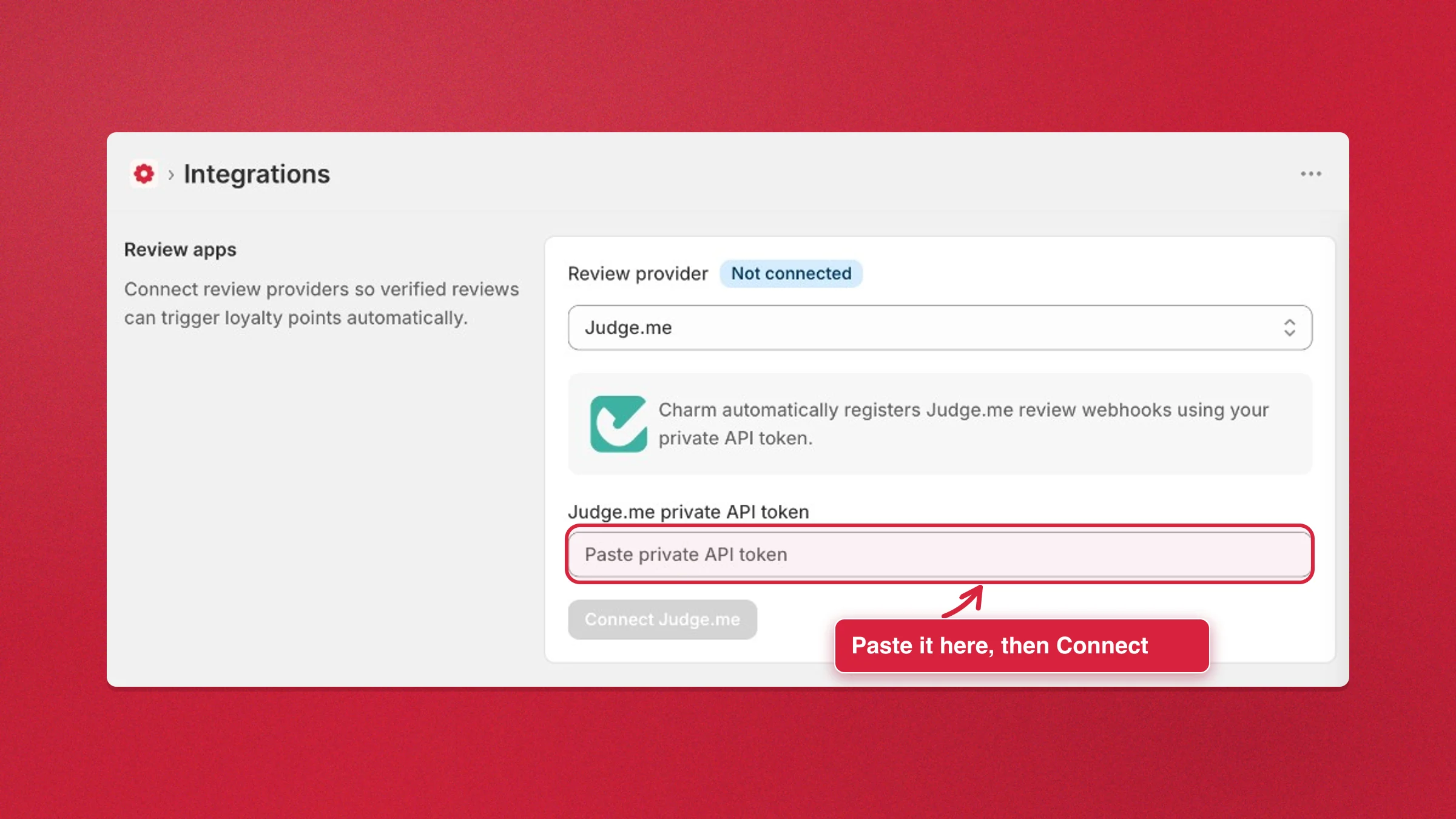
Charm registers the Judge.me review webhooks for you using that token, so there’s nothing to set up on the Judge.me side.
3. Confirm it’s connected
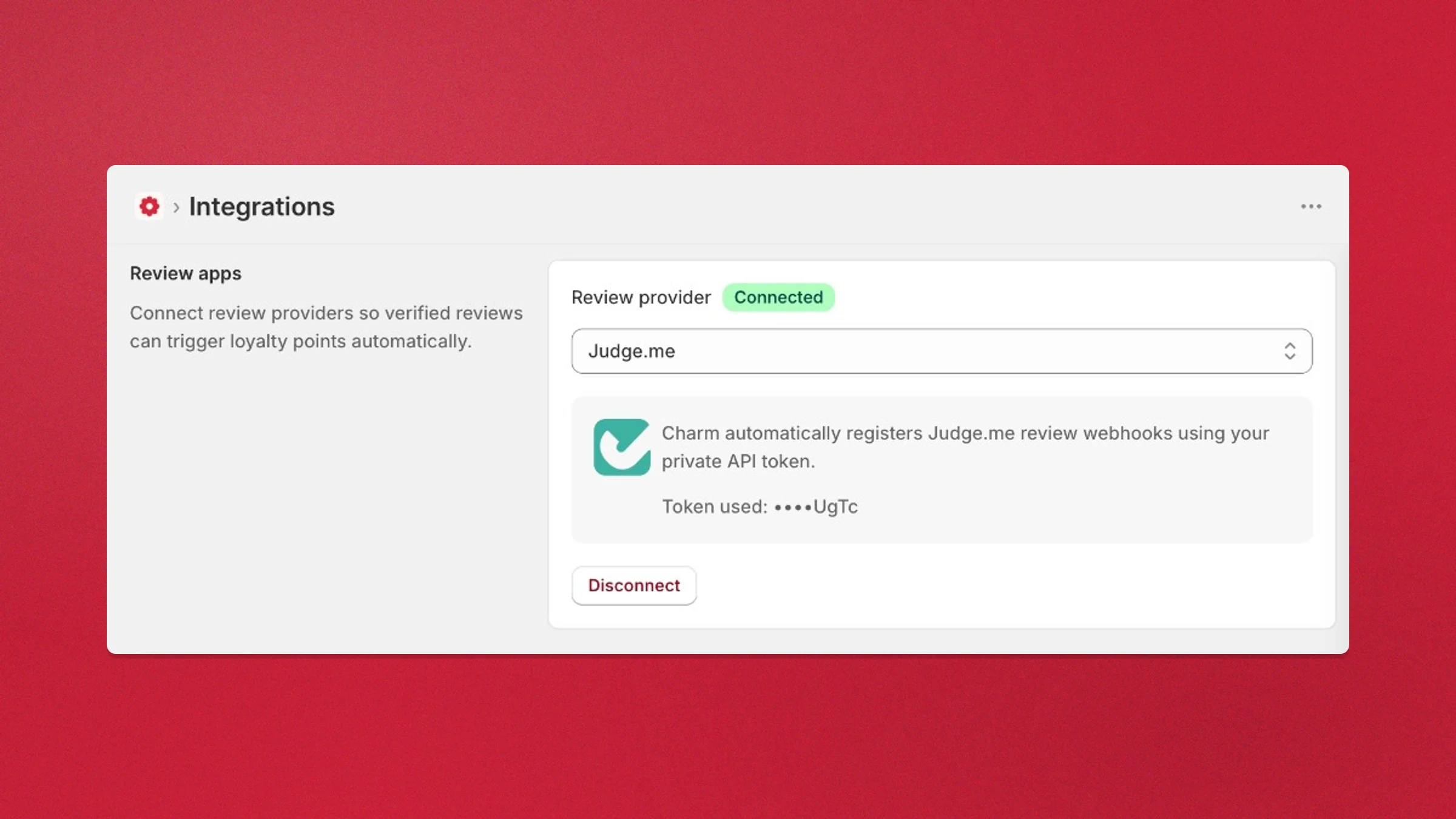
Section titled “3. Confirm it’s connected”The badge flips to Connected and shows the last four characters of the token in use. Verified Judge.me reviews now award loyalty points automatically.
Disconnect Judge.me
Section titled “Disconnect Judge.me”- Go to Settings → Integrations → Review apps and pick Judge.me in the Review provider dropdown.
- (Optional) Paste your private API token into Judge.me private API token, above Disconnect. Charm uses it once to remove its webhooks from Judge.me and doesn’t store it.
- Click Disconnect.
Judge.me reviews stop earning points as soon as you disconnect. Without the token, Charm’s webhooks stay registered in Judge.me and its reviews keep arriving, but they earn nothing. If Charm can’t remove the webhooks, Judge.me is still disconnected and the message shows why the webhooks stayed.
Related
Section titled “Related”- Connect a review app: overview of all supported providers
- Concept: Points & rewards
- Set up Shopify Flow triggers and actions